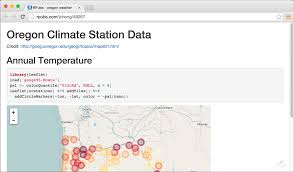
Saving an R HTML file is an essential skill for anyone working with R Markdown, RStudio, or data reporting tools that generate interactive documents. HTML output is commonly used for dashboards, reports, visualizations, and reproducible research because it preserves formatting, interactive charts, and code outputs in a single shareable file.
The most common method to save an HTML file in R is through R Markdown (.Rmd). After writing your content in an Rmd document, you can generate and save the HTML file by clicking the “Knit” button in RStudio. The file is automatically created in your project directory with a .html extension. Alternatively, you can use code:
rmarkdown::render("report.Rmd", output_format = "html_document")
This command converts the Rmd file into a full HTML document, including all text, plots, and tables.
For users working with Shiny apps, saving an HTML file is slightly different. Shiny apps are usually dynamic and server-based, but you can create static HTML snapshots using saveWidget() from the htmlwidgets package:
library(htmlwidgets)
saveWidget(widget_object, "output.html")
This method is helpful for saving interactive charts from packages like plotly, leaflet, or DT.
Best Practices When Saving R HTML Files
- Keep your project directory organized to avoid misplaced output files.
- Use relative paths for images and scripts to ensure your HTML works on other computers.
- Compress large images to keep file size manageable.
- Test your HTML output in multiple browsers to check compatibility.
External Resources
- R Markdown HTML Documentation: https://rmarkdown.rstudio.com/lesson-3.html
- HTML Widgets Guide: https://www.htmlwidgets.org/
- Saving R Markdown Outputs: https://bookdown.org/yihui/rmarkdown/html-document.html